
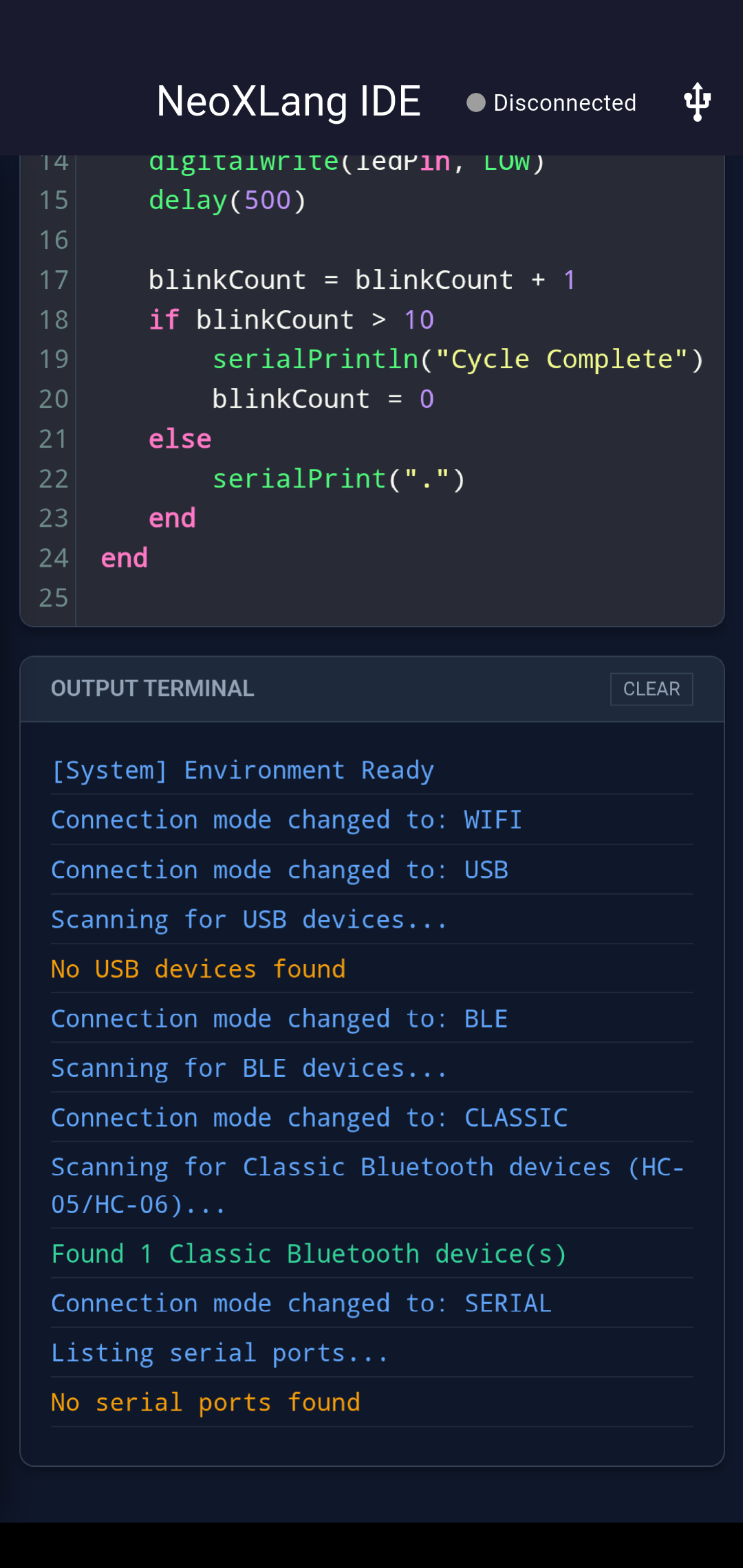
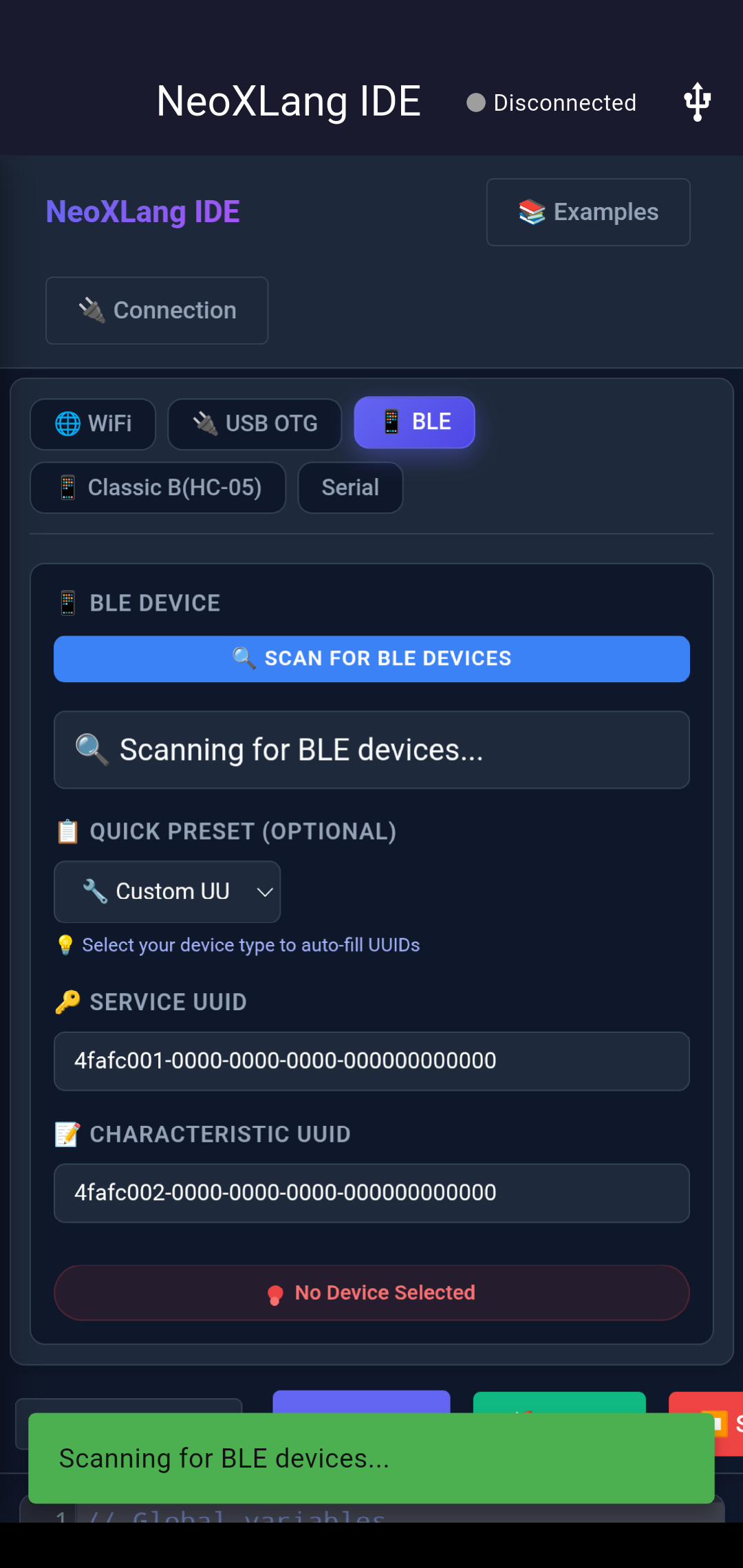
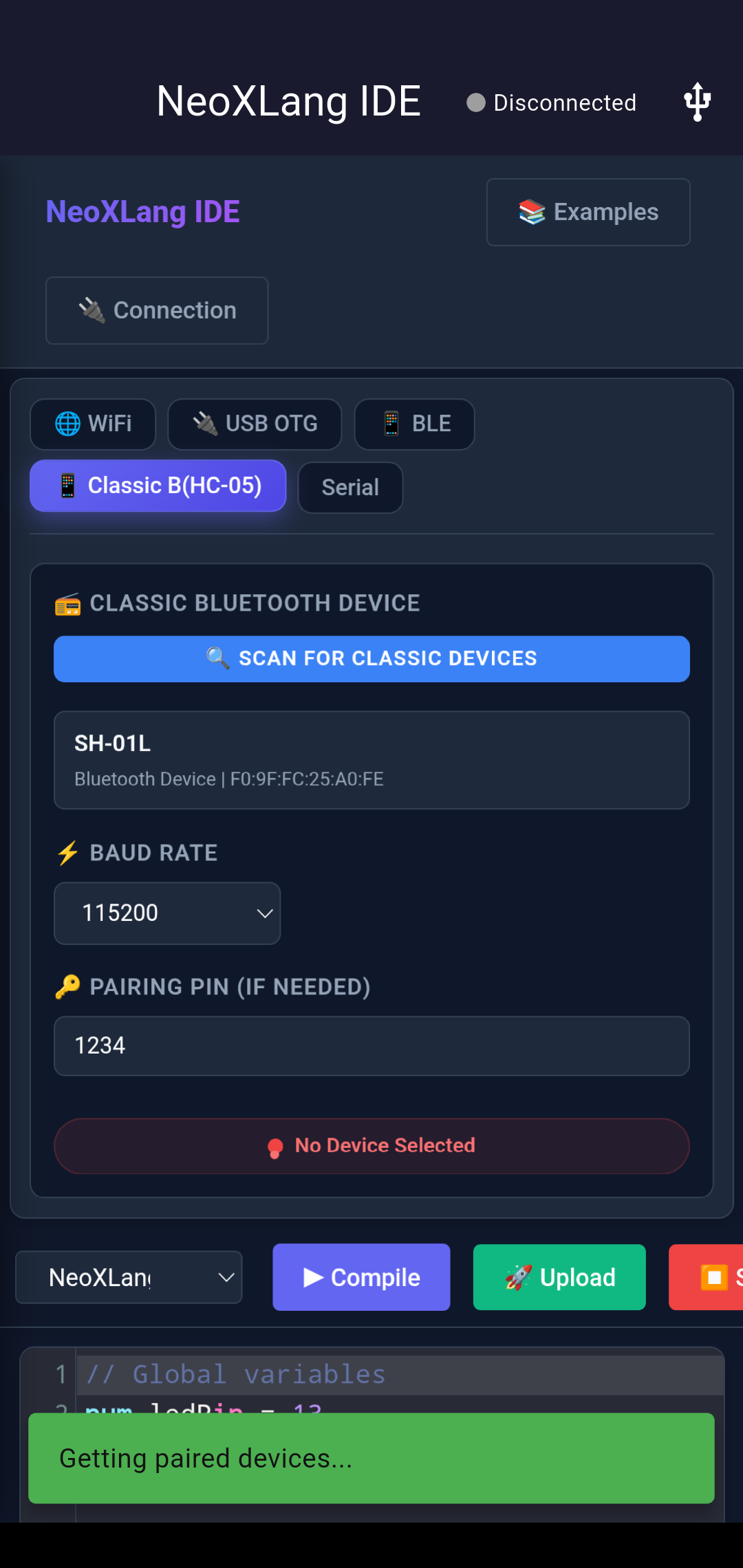
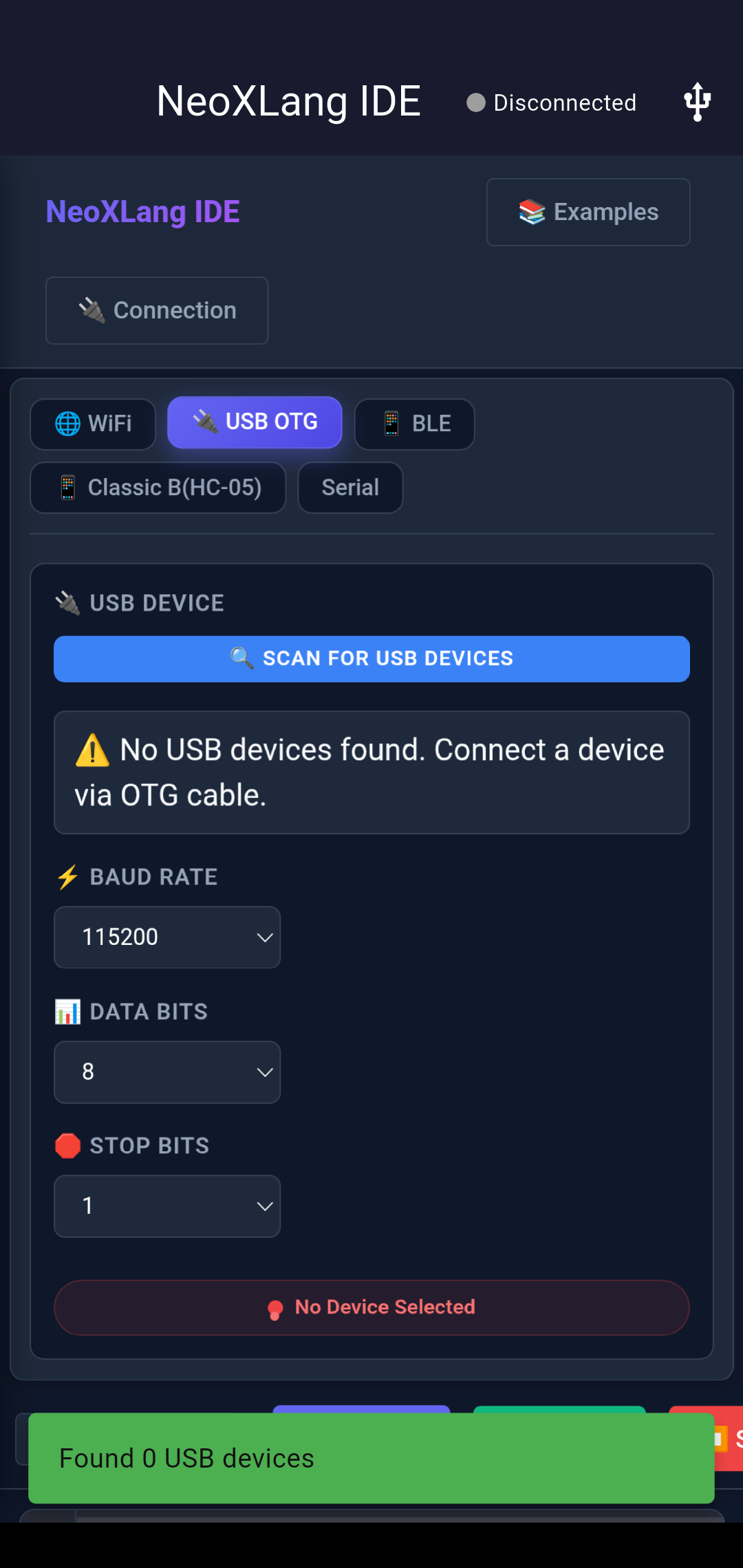
Work In Progress
Compiler bugs still being fixed Communication protocols still being hardened Language translation layer still in early development Hardware handshaking needs more work Still designing & building hardware — currently sampling compiler A long way from complete language coverage Compiler bugs still being fixed Communication protocols still being hardened Language translation layer still in early development Hardware handshaking needs more work Still designing & building hardware — currently sampling compiler A long way from complete language coverage
Eigen Prize Submission · 2025 · A Sanlabs Product

Code in Your Mother Tongue

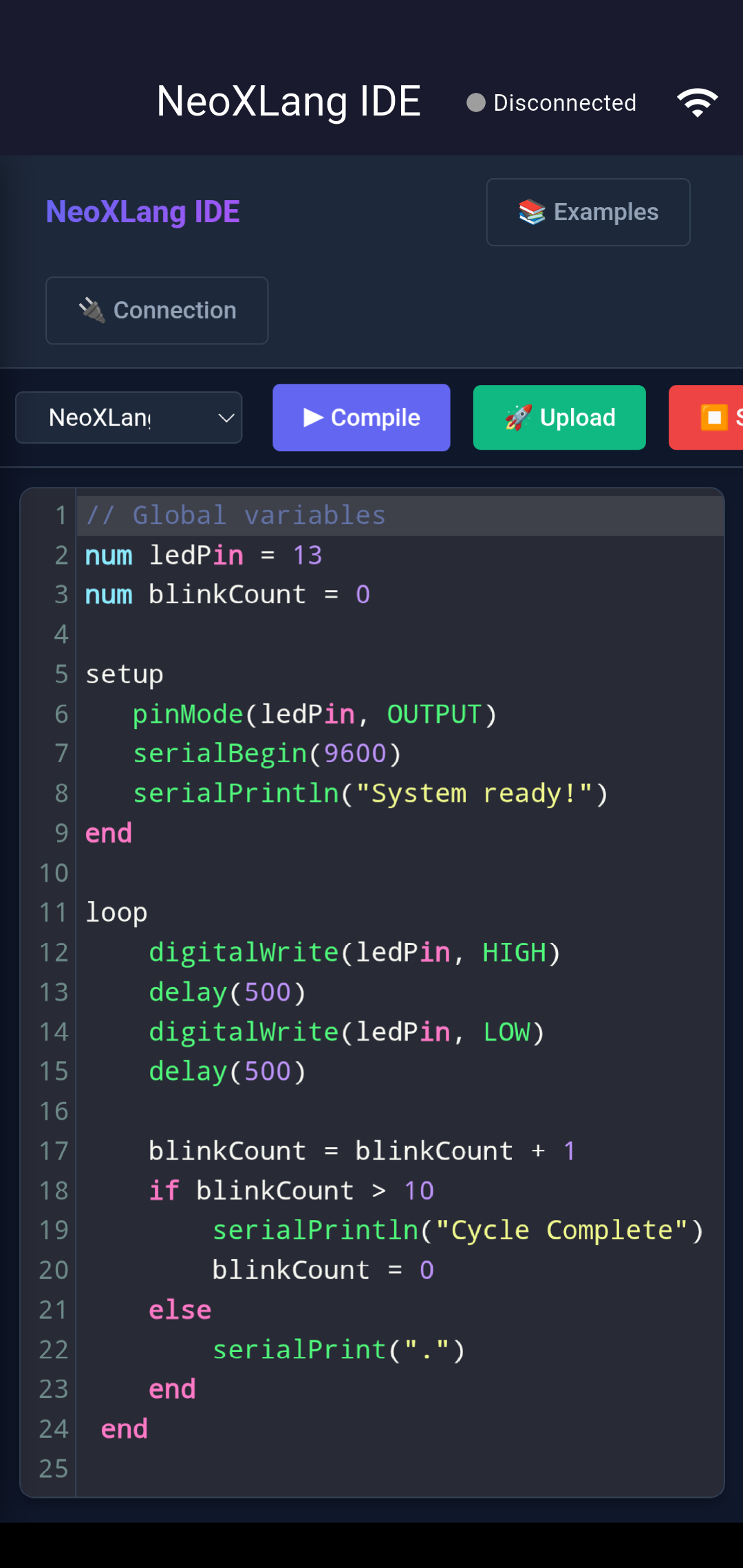
NeoXLang is a mobile-first embedded systems IDE that turns any smartphone into a full Arduino programming device — with keywords in Swahili, Yoruba, Hausa, and more. No laptop required.

neoxlang_swahili.ino
// Kiswahili — compiles to standard C++
#include "swahili_arduino.h"
 
anza() { // setup()
  weka_hali(LED, TOKA); // OUTPUT
}
 
rudia() { // loop()
  andika_nambari(LED, WASHA);
  subiri(1000);
  andika_nambari(LED, ZIMA);
}
↑ Swahili · identical bytecode output to standard C++
650M+
Africans blocked by English-only programming tools
750M+
Active mobile users in Sub-Saharan Africa
1.2B
Africans under 25 by 2050
70+
Languages Scratch supports — proof local-language IDEs work

Four Barriers. One Continent.

Africa has the talent, the tinkerers, and the problems that technology could solve. What's missing is access — blocked by four compounding barriers.

BarrierWho it shuts outScale
English-only programming interfacesAfricans whose first language is not EnglishBiggest single barrier
Desktop/laptop scarcityStudents and makers without computer infrastructure750M+ active mobile users
Unreliable powerRural and peri-urban communitiesMost of Africa outside major capitals
English error messages & docsTechnicians who understand hardware but not English codeMillions of skilled repair workers

One Platform. Two Breakthroughs.

📱
Mobile-First IDE
Full CodeMirror editor on Android, iOS, Linux, macOS. A $50 second-hand phone is all you need — no laptop, no computer lab.
🗣️
Local-Language Wrappers
Arduino keywords in Swahili, Yoruba, Hausa via thin #define macros. The microcontroller sees C++. The student sees their language.
🤖
AI in Your Mother Tongue
Describe what you want to build in Swahili or Yoruba. AI generates working firmware — a zero-knowledge on-ramp to hardware programming.
🔌
Multi-Protocol Connectivity
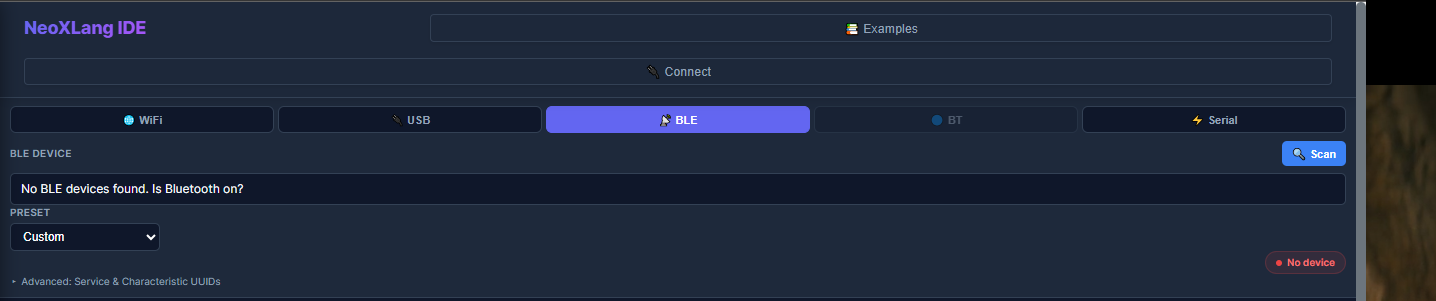
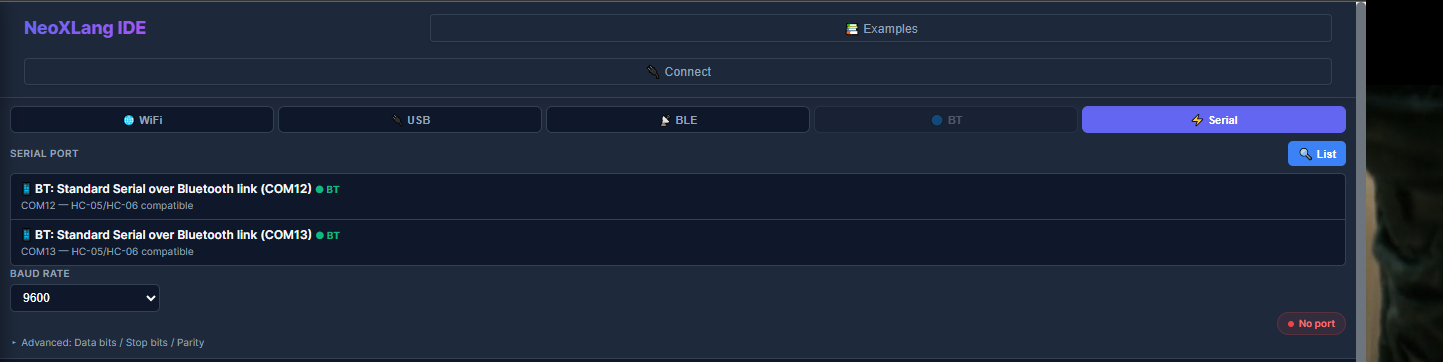
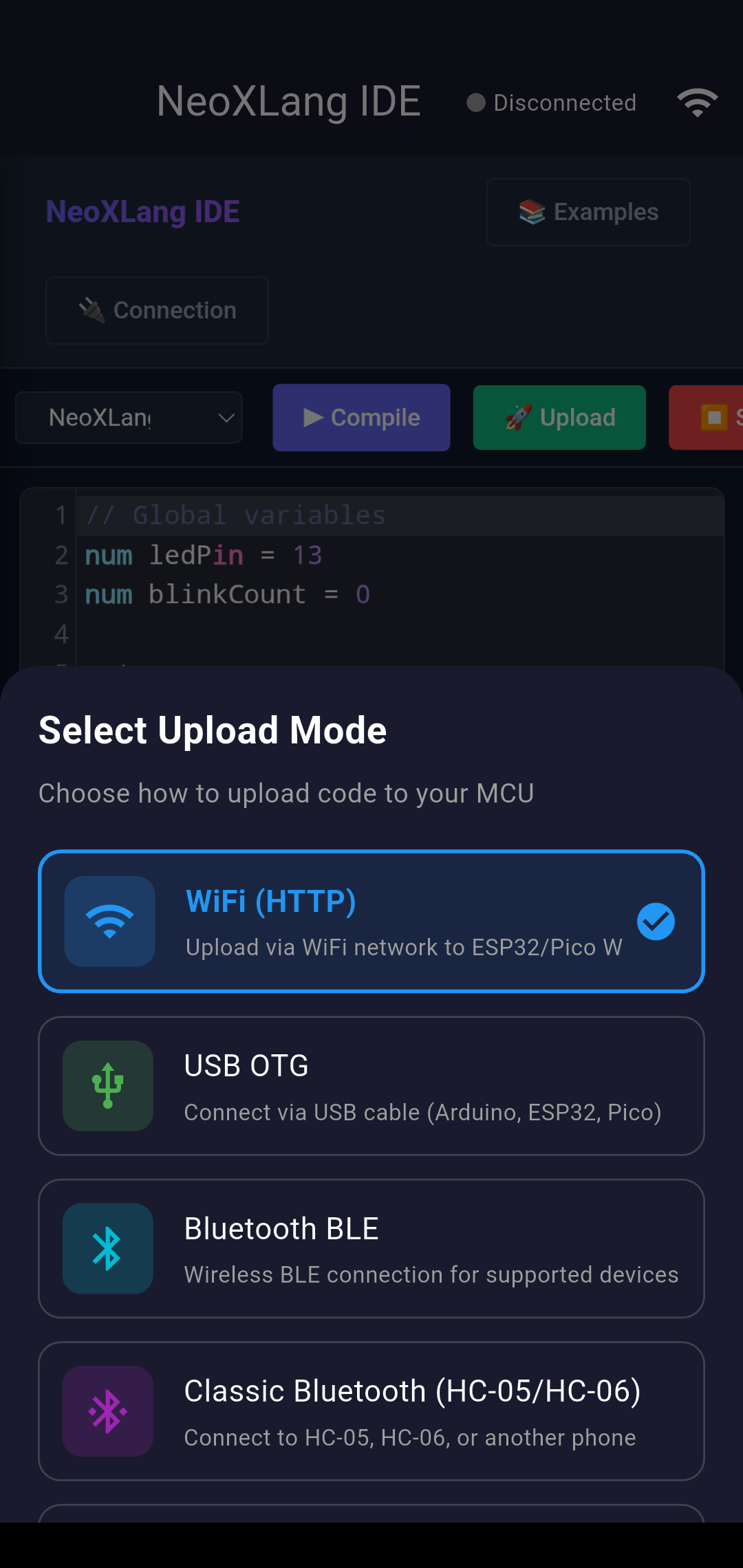
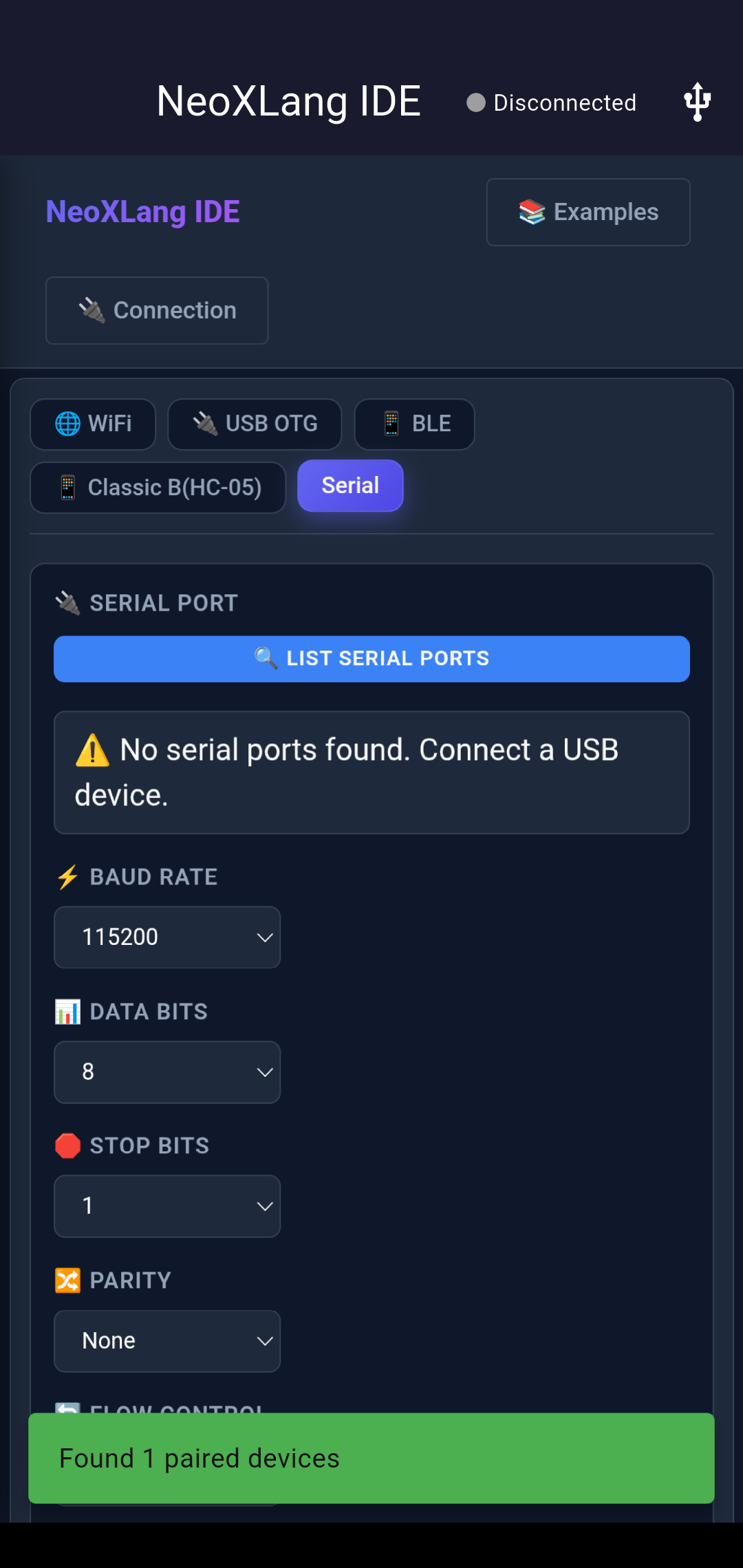
USB, BLE, Classic Bluetooth (HC-05/HC-06 — under $2), and WiFi. Works with every popular board in African maker markets.
⚡
Arduino, ESP32, STM32
No proprietary lock-in. Any board a student or technician already owns will work with NeoXLang.
🌍
Open & Community-Governed
Every language wrapper is built openly on GitHub. Communities decide terminology — not translation handed down from above.

From Proof of Concept to 2 Million Users

1
Build
Swahili wrapper + IDE on a $100 Android phone
2
Pilot
5 schools / makerspaces. 50,000 users in Year 1
3
Expand
Yoruba, Hausa, Amharic. 500,000 users Year 2
4
Embed
National STEM programmes. 2M+ users Year 3

How the NeoXLang Interpreter Works

NeoXLang uses a custom bytecode virtual machine that runs directly on the microcontroller. Code written in any supported language is compiled on the host into compact bytecode, then transmitted to the board over USB, BLE, WiFi, or Classic Bluetooth — where the VM executes it in real time.

System Architecture
📝  NeoXLang Source (Swahili / Yoruba / Hausa…)
↓  language wrapper #defines
⚙️  Compiler on host (phone / desktop)
↓  fixed-width 4-byte opcodes
📦  Bytecode packet (NXLG magic + checksum)
↓  USB / BLE / WiFi / Classic BT
🔌  Arduino / ESP32 / STM32
↓  NeoXLang VM interprets
💡  Hardware responds (pins, sensors, motors…)

From Source Code to Blinking LED

1
You Write Code in Your Language

In the NeoXLang IDE you write Arduino logic using keywords in your chosen language. A Swahili speaker writes anza() instead of setup(), rudia() instead of loop(), andika_nambari() instead of digitalWrite(). The language layer is a set of #define macros in a header file — a thin translation layer requiring zero changes to the C++ toolchain.

2
The Compiler Produces Bytecode

The host compiler translates the source into compact fixed-width bytecode. Each instruction is 4 bytes: [opcode, param1, param2, reserved]. A full program fits in as few as 512 bytes — small enough for Arduino EEPROM, so programs survive power cycles. The bytecode is language-agnostic: Swahili and English source produce identical binary.

⚠ Work in progress: Compiler bugs are still being fixed. Some edge cases in expression parsing can produce incorrect bytecode.
3
The Opcode Set — What the VM Can Do

The interpreter supports a rich opcode set covering real embedded programs:

Variables
DECLARE_VAR
ASSIGN_VAR
LOAD / STORE
LOAD_CONST
INCREMENT / DECREMENT
Arithmetic
ADD / SUBTRACT
MULTIPLY / DIVIDE
MODULO
BIT_AND / OR / XOR
BIT_NOT
Comparison
EQUALS / NOT_EQUALS
LESS_THAN / GREATER_THAN
LESS_EQUAL / GREATER_EQUAL
LOGICAL_AND / OR
Control Flow
JUMP / JUMP_IF_FALSE
JUMP_IF_TRUE
CALL / RETURN
WHILE / FOREACH
FUNCTION_START/END
Hardware I/O
PIN_MODE
DIGITAL_READ/WRITE
ANALOG_READ/WRITE
DELAY_MS / DELAY_US
GET_MILLIS / MICROS
Serial & Arrays
SERIAL_BEGIN/PRINT
SERIAL_READ/AVAIL
CREATE_ARRAY
ARRAY_LOAD/STORE
BIT_SET/CLEAR/READ

The VM uses a fixed-size stack of 8 values and 4 levels of function call depth — carefully sized for Arduino Uno's 2KB RAM.

4
Framed, Checksummed Upload Protocol

Before sending bytecode, host and device handshake. The host triggers; the device replies ACK_READY (0x52). The host then sends:

// Upload packet structure SYNC_BYTE1 // 0xAA SYNC_BYTE2 // 0x55 MAGIC // 4 bytes: "NXLG" (0x4E 0x58 0x4C 0x47) LENGTH // 4 bytes big-endian BYTECODE // N bytes of program END_MARKER // 0xCC

A checksum (XOR of all bytecode bytes) is embedded in the header. Mismatch → ACK_ERROR (0x45) and discard. Success → ACK_OK (0x4F), save to EEPROM, begin execution.

⚠ Work in progress: Handshaking and retry logic are implemented but not yet fully robust. Timeout and checksum failures can occur, particularly over BLE and Classic Bluetooth.
5
The VM Executes on the Microcontroller

The NeoXLang VM is a stack-based interpreter flashed as standard Arduino firmware. It maintains: a program buffer (up to 512 bytes), a variable table (16 signed 16-bit integers), a value stack (8 entries), a call stack (4 entries), and two arrays of up to 16 elements each.

The VM scans for SETUP_START/SETUP_END markers and runs that section once, then loops continuously through LOOP_START/LOOP_END — mirroring Arduino's own setup()/loop() model. During delays it polls for incoming serial data, so a new upload can interrupt a running program instantly. Programs are saved to EEPROM and resume automatically on power-up.

6
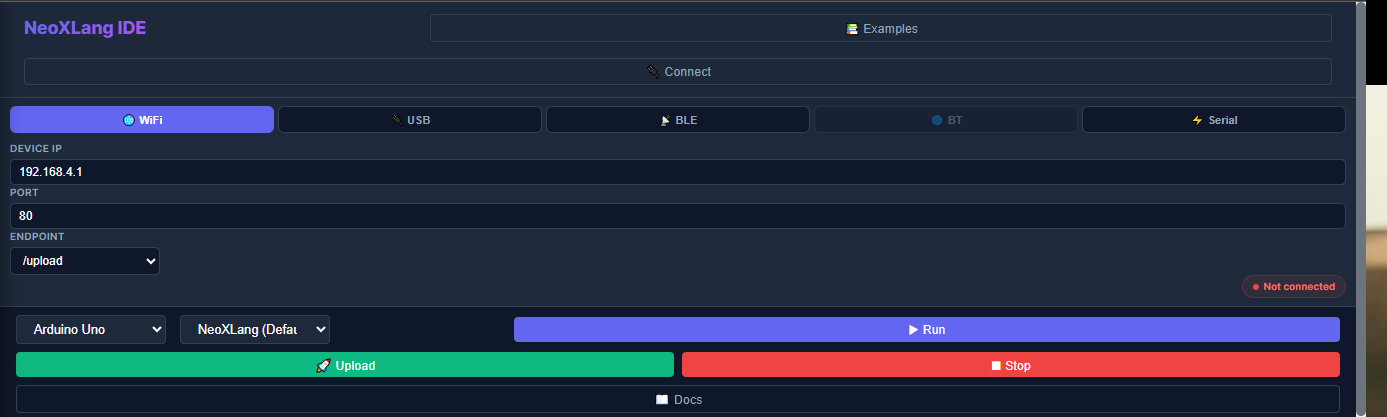
Connection Methods
USB Serial
Direct cable via USB-to-serial or USB OTG on Android. Most reliable — recommended for initial setup and desktop use.
BLE
Bluetooth Low Energy for wireless uploads. Works with BLE-capable ESP32 boards. Good range, lower throughput.
Classic BT
HC-05 / HC-06 modules (under $2, widely available across Africa). Paired via standard Bluetooth before use.
WiFi
Over-the-air upload for ESP32/ESP8266. Field technicians can reprogram devices without physical access.
⚠ Work in progress: BLE and Classic Bluetooth are functional but can be unreliable on some device combinations. WiFi OTA is the most experimental.

Local-Language Arduino Wrappers for Africa

Arduino is the world's most accessible hardware platform. Yet its programming interface speaks only one language: English. For 650 million Africans, that single fact is the biggest preventable barrier to hardware education on the continent.

1. The Core Problem: English as the Invisible Barrier

Arduino is cheap, open-source, and available even in low-resource African contexts. Yet its programming interface is locked entirely in English. For the roughly 650 million Africans whose first language is not English — speakers of Swahili, Yoruba, Hausa, Amharic, Twi, Zulu, and hundreds of other languages — learning Arduino means mastering two things simultaneously: a new cognitive discipline and a foreign language.

2. Why This Is Technically Straightforward

Arduino already has a C preprocessor, so keyword renaming is done with #define macros — one line per keyword. A working Swahili wrapper could be built in a weekend:

#define anza() setup()
#define chapisha(x) Serial.print(x)
#define andika_nambari(pin, val) digitalWrite(pin, val)

3. Precedent: Other Projects Show This Works

Scratch supports over 70 interface languages and sees dramatically higher uptake where the UI matches the local instruction language. Nuru — a Swahili-based programming language — demonstrates that local-language programming significantly boosts engagement. NeoXLang is the natural physical-world extension.

4. Sovereignty Over Tools and Cultural Legitimacy

A Yoruba-language Arduino wrapper is not merely a teaching convenience. It is a statement that Yoruba-speaking engineers are full participants in the global maker movement — and that the tools of that movement can be owned, maintained, and extended by African communities in African languages.

5. The Youth Bulge: Africa Cannot Afford to Wait for English

By 2050, Africa will be home to roughly 1.2 billion people under 25. They are entering the labour market right now. Achieving English proficiency to parse programming documentation takes five to ten years of sustained instruction. Africa does not have that runway.

A local-language Arduino wrapper is not a consolation prize for those who haven't yet learned English. It is a fast lane for the generation that cannot afford to wait.

6. From Technicians to Programmers: Unlocking Existing Talent

Africa's cities are full of skilled electronics technicians who can replace a microcontroller brain but cannot rewrite it because firmware is locked behind English-only interfaces. A phone-repair technician earns subsistence income; an embedded firmware developer earns a middle-class salary. The local-language wrapper is the most direct possible intervention between those two realities.

7. Teacher Capacity and Classroom-Scale Impact

Most African secondary-level teachers are not fluent enough in English to comfortably parse technical documentation. A local-language wrapper becomes a teacher-support layer — reducing prep time, lowering cognitive load, and making confident lesson delivery possible across hundreds of schools from a single open-source repository.

8. Bridging Formal Schooling and Informal Tinkering

Hundreds of thousands of young Africans learn electronics in informal repair spaces but almost never encounter code. A local-language wrapper is the missing bridge between boda-boda shops, phone-fix stalls, and structured programming — turning informal tinkering into a legitimate STEM career pathway.

9. Gender and Rural Inclusion

Girls and rural learners are disproportionately affected by both the hardware gap and the language gap. Using local languages in STEM removes the double burden of language-plus-technical-content and addresses the "hidden cultural tax" that keeps many girls out of hardware paths.

10. Natural Language Is the New Programming

AI tools are making programming conversational. African languages currently lack standardised technical vocabulary — no agreed Swahili word for "loop", no standard Yoruba term for "debug".

Every time a community agrees that andika_nambari() is the Swahili equivalent of digitalWrite(), they are making a decision about the technical future of their language. Multiplied across thousands of classrooms, this becomes training-data infrastructure for African-language AI.

11. Asia Grew Their Languages to Meet Technology

Japan built katakana equivalents for every technical term. China chose semantic translation: ruanjian for software, biancheng for programming. These were deliberate policy choices that their languages would be full participants in the technological future. Building technical vocabulary in your language is a policy choice, not a linguistic impossibility.

12. Raising Computational Thinking for the Ordinary Person

The goal of teaching programming is not to produce programmers — it is to raise the quality of abstract reasoning across an entire society. Research shows this develops most effectively in the language a person naturally thinks in. A Yoruba-speaking farmer who learns sequencing through planting-season analogies, in Yoruba, using hardware she can hold, may never write code — but will plan, budget, and decide differently for life.

13. Policy, Data Sovereignty, and Alignment with National Goals

A local-language Arduino wrapper can be positioned as a practical, low-cost tool for existing government STEM goals, early-stage infrastructure for African-language data sovereignty, and a classroom-ready compliance item for ministries wanting local-language STEM integration without rebuilding curricula.

14. The Practical Roadmap

PhaseActionWho
1. Proof of ConceptBuild Swahili wrapper; translate core keywords & error messagesOpen-source contributors
2. PilotDeploy in 3–5 partner schools; iterate on terminology with teachersiHub, Kumasi Hive
3. ReplicateFork pattern for Yoruba, Hausa, Amharic; publish replication guideLanguage communities + donors
4. IntegrateAlign with national STEM policies; feed vocab into African-language AI corporaMinistries, NGOs, AI labs
One keyword. One agreed translation. One classroom at a time.

Built by Sanlabs

NeoXLang is a product of Sanlabs — building technology infrastructure for Africa's next generation of engineers. We're a small team, and like the product, a work in progress.

SN
Steven Nakibinge
Primary Developer

Lead engineer and founder of NeoXLang at Sanlabs. Responsible for the mobile app (Flutter/Android), the desktop IDE (Flask/Python), the Arduino interpreter firmware, the language wrapper architecture, the communication protocols, and the overall system design.

Open Source, Community Governed

NeoXLang is split across multiple repositories. Each can be forked independently — language communities, hardware hackers, and educators are all welcome.

neoxlang-mobile
Flutter-based Android & iOS app. Full CodeMirror IDE, BLE/WiFi/USB/Classic Bluetooth, local-language UI, AI assistant.
FlutterDartActive dev
neoxlang-desktop
Flask/Python desktop app. Professional IDE for makerspaces and universities. Runs on Windows, Linux, macOS.
PythonFlaskActive dev
neoxlang-interpreter
Arduino firmware — the bytecode VM that runs on the microcontroller. Supports Arduino Uno, ESP32, STM32. EEPROM persistence.
C++ArduinoActive dev
neoxlang-swahili
Swahili language wrapper. #define macro header mapping Swahili keywords to standard Arduino C++. ~200M speakers.
CSwahiliIn progress
neoxlang-yoruba
Yoruba language wrapper. Community-governed. Terminology decisions made openly — pull requests welcome from Yoruba speakers.
CYorubaPlanning
neoxlang-docs
Documentation, teacher guides, and replication guides for starting new language communities. Multilingual by design.
DocsEarly draft

What's Working, What Isn't

Compiler
Functional but bugs still being fixed. Some expression parsing edge cases produce incorrect bytecode. Active fix in progress.
Communication Protocol
Handshaking and retry logic implemented. Still being hardened — occasional timeout and checksum failures over BLE and Classic Bluetooth.
Language Translation
Swahili wrapper is a proof-of-concept. Far from complete coverage. Yoruba and Hausa not yet started. Community governance not yet set up.
Hardware Design
Still designing and building dedicated NeoXLang hardware. Currently sampling the compiler on off-the-shelf Arduino boards only.
Mobile App (Android)
APK available and installable. Core IDE, code editor, and USB OTG connection working. BLE and WiFi functional on tested devices.
Desktop App (Flask)
Runs on Windows/Linux/macOS. Requires Python + Flask. Core features working. See Download → Setup Steps for install instructions.

Download & Install

Three components. Free and open source. No account required.

🔌
Arduino / ESP32 / STM32 · .ino Firmware
The Interpreter
The bytecode VM that runs on your microcontroller. Flash this once using the Arduino IDE. After that, NeoXLang uploads and runs programs wirelessly — no re-flashing needed. Also available in a no-EEPROM variant for boards without persistent storage.
⬇ Download Interpreter (.zip) ⬇ No-EEPROM variant (.rar)
🖥
Windows / Linux / macOS · Flask / Python
Desktop App
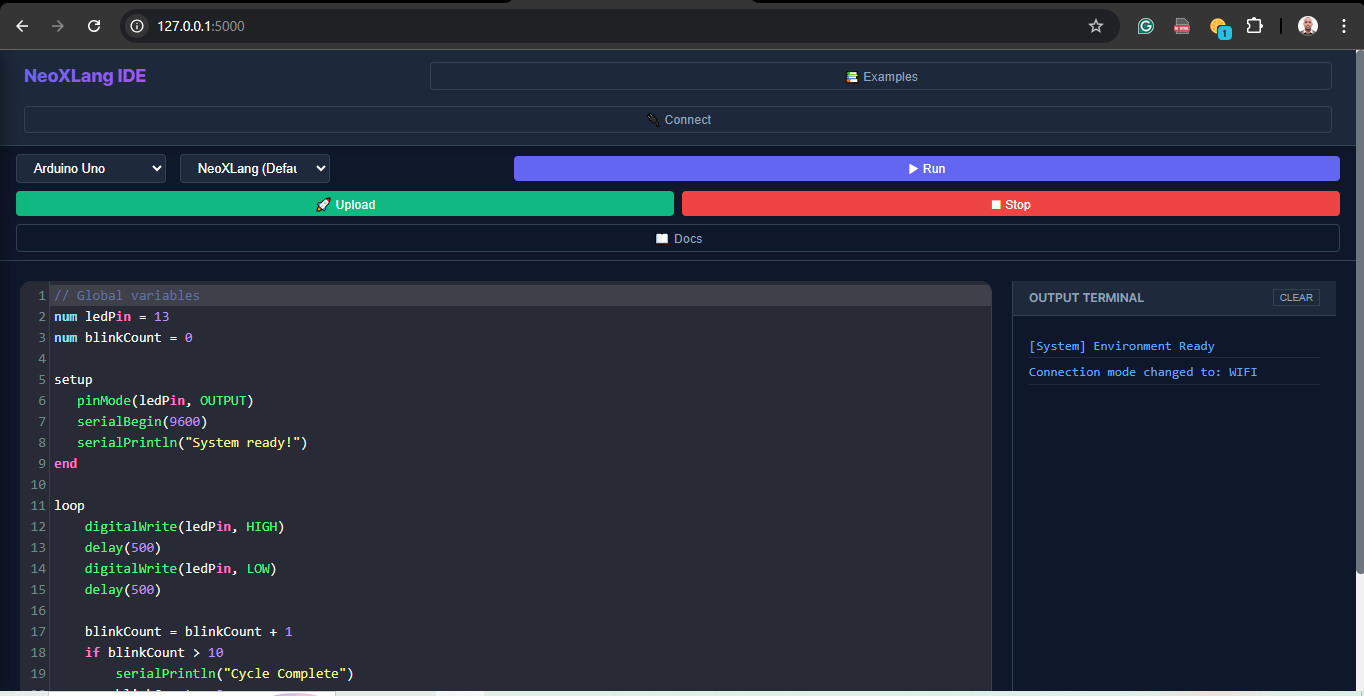
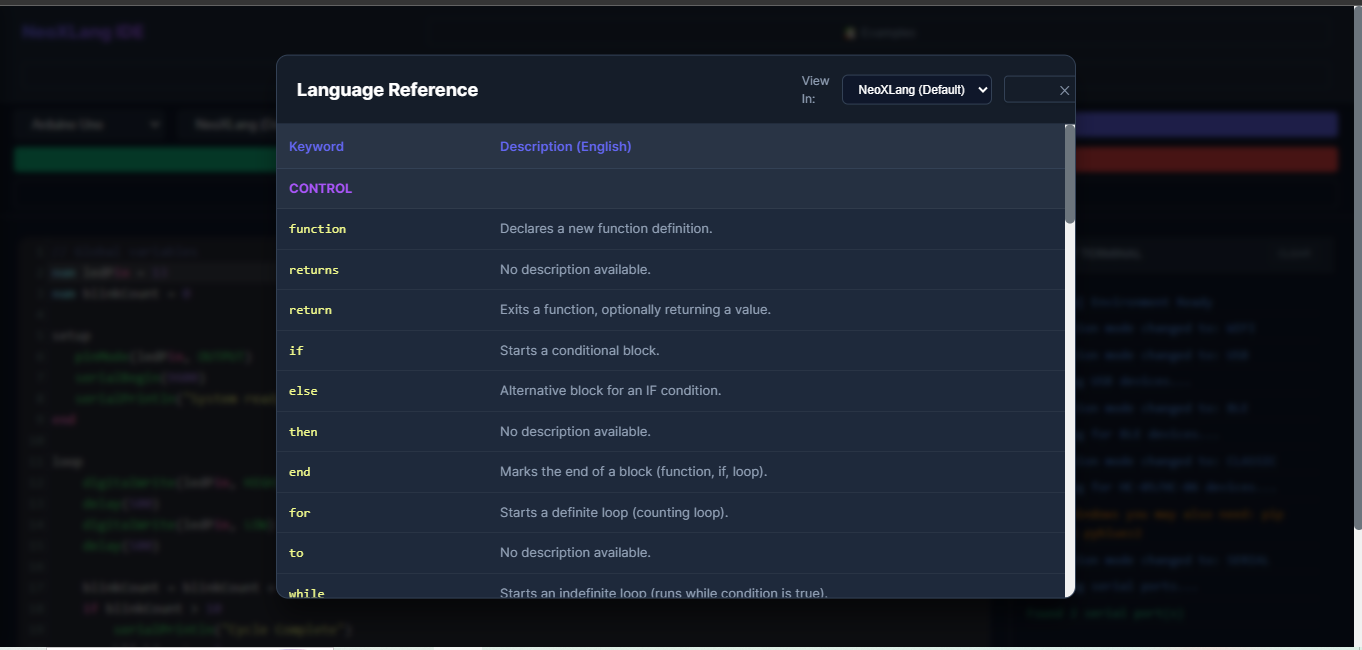
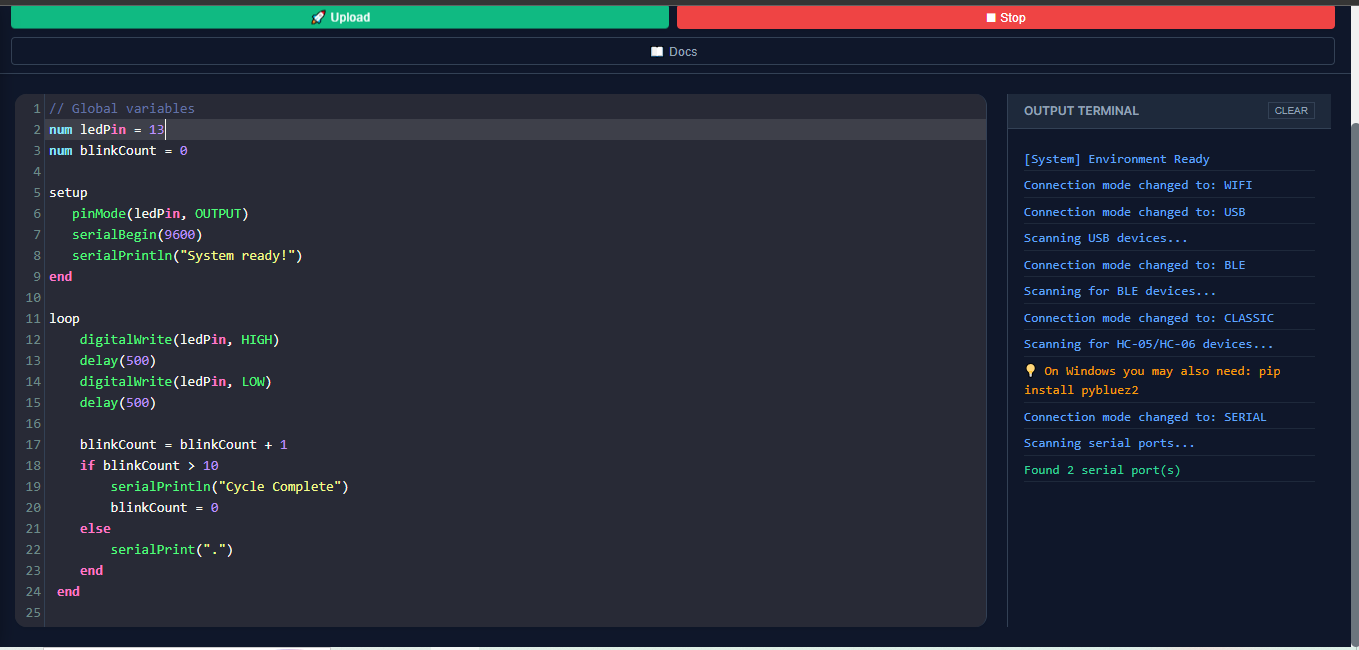
The full NeoXLang IDE for computers. Built with Flask and Python — runs locally in your browser. Includes the code editor, serial monitor, BLE & WiFi connectivity, and multilingual keyword documentation. Ideal for makerspaces and universities.
⬇ Download Desktop App (.zip)
📱
Android · APK · Sideload
Mobile App
Turn any Android phone into a full embedded IDE. Write code, compile, and flash your microcontroller over BLE, Classic Bluetooth, WiFi, or USB OTG — from the phone you already own. No laptop needed. Android 7.0+.
⬇ Download APK

Step-by-Step Setup

What this is: Arduino firmware you flash once. After that the board listens for NeoXLang bytecode over USB/BLE/WiFi and executes it directly — no re-flashing for new programs.
1
Download & extract the interpreter ZIP
Click Download Interpreter above. Extract — you'll find NeoXLang_Interpreter.ino inside a folder named NeoXLang_Interpreter/. The folder name must match the .ino filename for the Arduino IDE to accept it.
2
Install the Arduino IDE (if not already installed)
Download Arduino IDE 2.x from arduino.cc/en/software. For ESP32 boards, add the board manager URL in File → Preferences → Additional Boards Manager URLs:https://raw.githubusercontent.com/espressif/arduino-esp32/gh-pages/package_esp32_index.json
3
Open the interpreter sketch
Go to File → Open and select NeoXLang_Interpreter.ino. The sketch opens in the editor.
4
Select your board and port
Connect your board via USB. Select your board from Tools → Board and port from Tools → Port. For Arduino Uno select Arduino Uno; for ESP32 select ESP32 Dev Module.
Note: The standard EEPROM variant requires a board with EEPROM support (Uno, Nano, Mega, ESP32). For boards without EEPROM, use the No-EEPROM variant — programs won't persist across power cycles but everything else works identically.
5
Upload and verify
Click Upload. When complete, open Serial Monitor at 115200 baud. You should see:NeoXLang VM ready - FULL FEATURE with Checksums
No program in EEPROM. Ready for upload.
The board blinks its built-in LED 3 times to confirm it's ready. ✓
What this is: A Flask (Python) app that runs locally. It serves the NeoXLang IDE in your browser and handles communication with your microcontroller over USB, BLE, or WiFi.
⚠ Work in progress: The desktop app is functional but under active development. Some features may behave unexpectedly.
1
Make sure Python 3.8+ is installed
Open a terminal and run:python --versionIf not installed, download from python.org. On Windows, tick "Add Python to PATH" during installation.
2
Download & extract the Desktop App ZIP
Click Download Desktop App above. Extract to a folder, e.g. C:\NeoXLang\ on Windows or ~/neoxlang/ on Linux/macOS.
3
Install dependencies
Open a terminal, navigate to the extracted folder, and run:pip install -r requirements.txtIf there is no requirements.txt, install manually:pip install flask pyserial
4
Run the app
From the same folder:python app.pyYou'll see:* Running on http://127.0.0.1:5000Open your browser at http://127.0.0.1:5000 — the NeoXLang IDE will load.
5
Connect your board
Plug in your microcontroller via USB. In the IDE, select the correct COM port (Windows) or /dev/ttyUSB0 / /dev/ttyACM0 (Linux/macOS) in the connection panel. Set baud rate to 115200. Click Connect.
6
(Windows) If serial port not found
You may need a USB-to-serial driver. For the CH340 chip (clone Arduinos), download the CH340 driver. For official Arduino boards (FTDI chip), download FTDI VCP drivers from ftdichip.com.
What this is: A native Android app (Flutter). Sideloads directly via APK — no Play Store required. Supports Android 7.0 (Nougat) and above.
1
Enable "Install from unknown sources"
Go to Settings → Security (or Settings → Privacy on newer Android). Find "Install unknown apps" or "Unknown sources" and enable it for your file manager or browser. The exact path varies by manufacturer.
2
Download the APK to your phone
Tap Download APK directly on your phone, or transfer the file from your computer via USB or cloud storage.
3
Open and install the APK
Open your file manager, tap the APK file, and tap Install. The NeoXLang icon will appear in your app drawer when complete.
4
For USB OTG (wired connection)
Connect a USB OTG adapter to your phone, then plug in your Arduino's USB cable. In the app select USB / OTG. Grant the USB permission prompt when it appears.
5
For Classic Bluetooth (HC-05/HC-06)
First pair the module in your phone's Bluetooth settings (default PIN: 1234 or 0000). Then open the app, select Classic Bluetooth, and choose your paired device.
6
For BLE (ESP32)
No pre-pairing needed. In the app select BLE, tap Scan, and select your ESP32 from the list.
7
Write code and upload
Select your language, write your program, and tap Upload. The app compiles, frames the bytecode, and sends it to your board. Watch the serial monitor for OK N bytes — that's confirmation it worked.

Supporting Documents